Markup and review
The markup stays with the revision it was made on
Markup that is tied to the revision it was made against, and is not carried forward onto a drawing that has since changed.
Optional, licensed through DocCore
How it works
From the drawing to a priced takeoff
- Opened Straight from the DocCore register.DocCore
- Scaled Set the scale once, in the drawing's own units.
- Marked up Clouds, callouts and replies on the sheet, each with a status.
- Measured Lengths, areas and counts off the same sheet.
- Priced Each quantity carries your rate, and the takeoff exports to a spreadsheet.
What it does
- Marks up the drawing itself. The drawing is opened where it is controlled — not a printout, not a screenshot, not a PDF in a separate viewer.
- Measures to scale. Distances and areas taken on screen in the drawing's own units.
- Two people, one sheet, at once. A live review with somebody else on the same drawing at the same time.
- Ties every markup to a revision. When the drawing is revised, the old markup stays with the old revision.
On screen
Review the drawing on the drawing
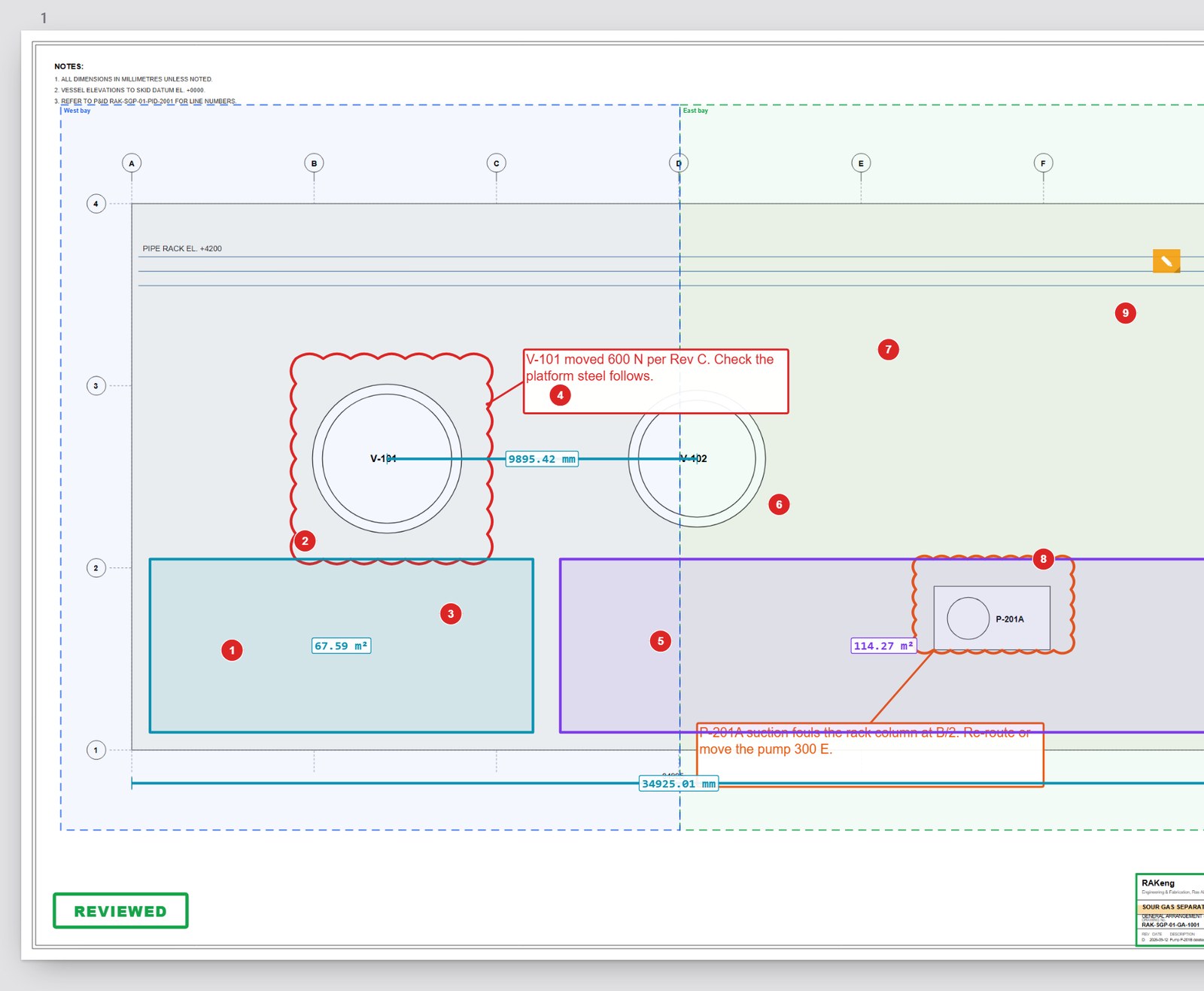
Reviewers cloud, call out and reply on the sheet, and each markup has a status.
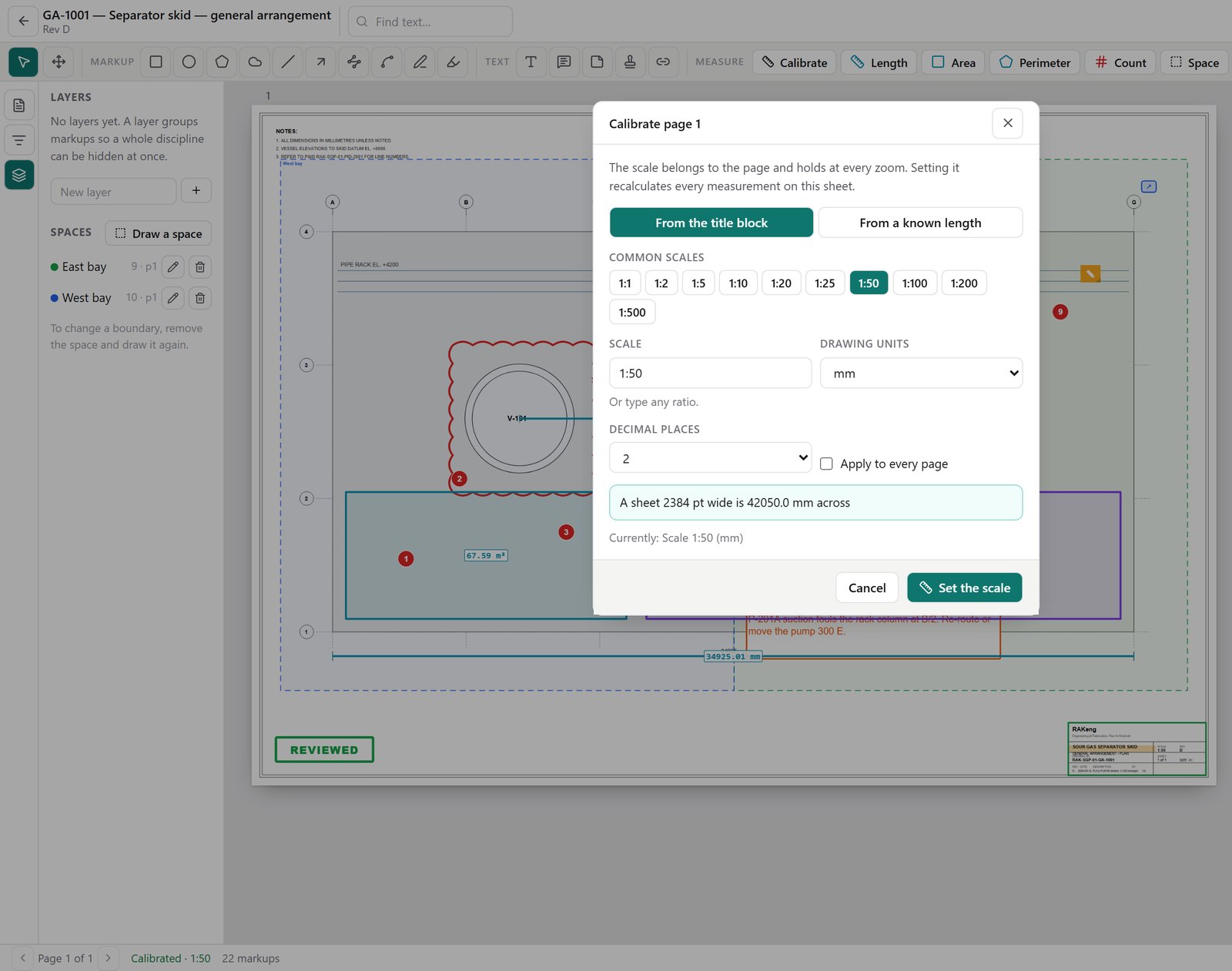
Set the scale once
Read the scale from the title block, pick a common scale, or measure a known length. The scale belongs to the sheet, holds at every zoom, and recalculates every measurement on it when it is changed.
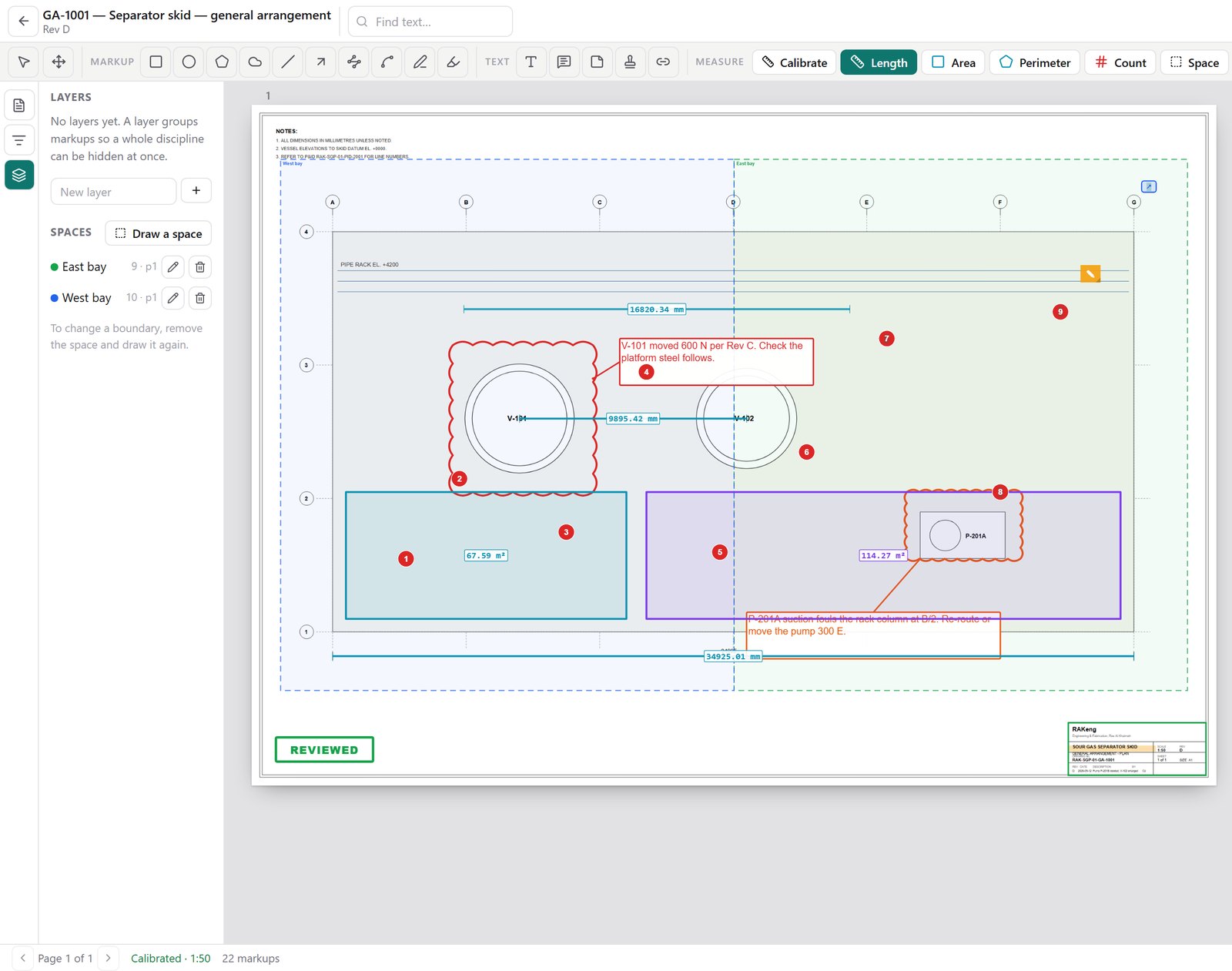
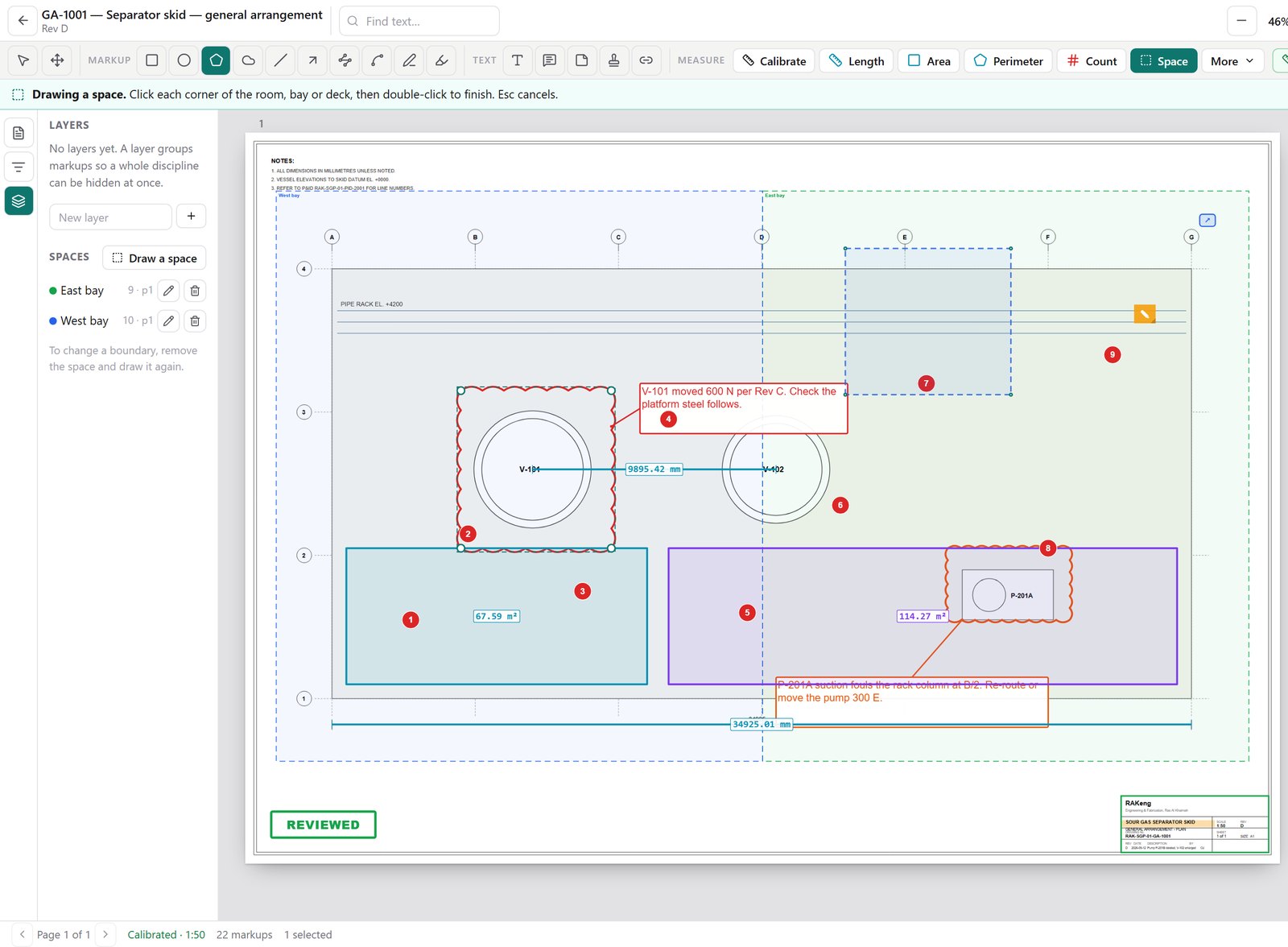
Measure, by room or bay
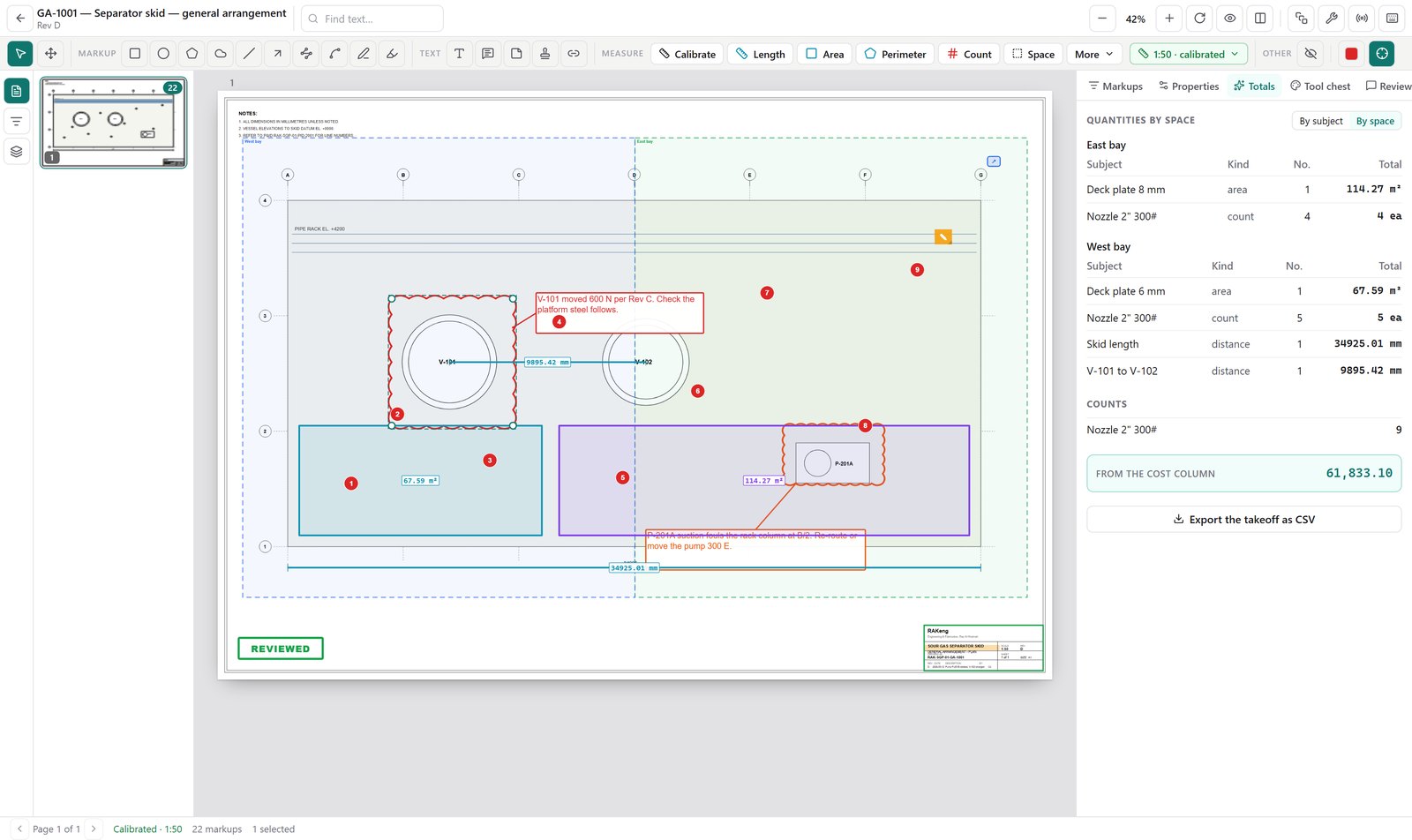
What changed between two versions
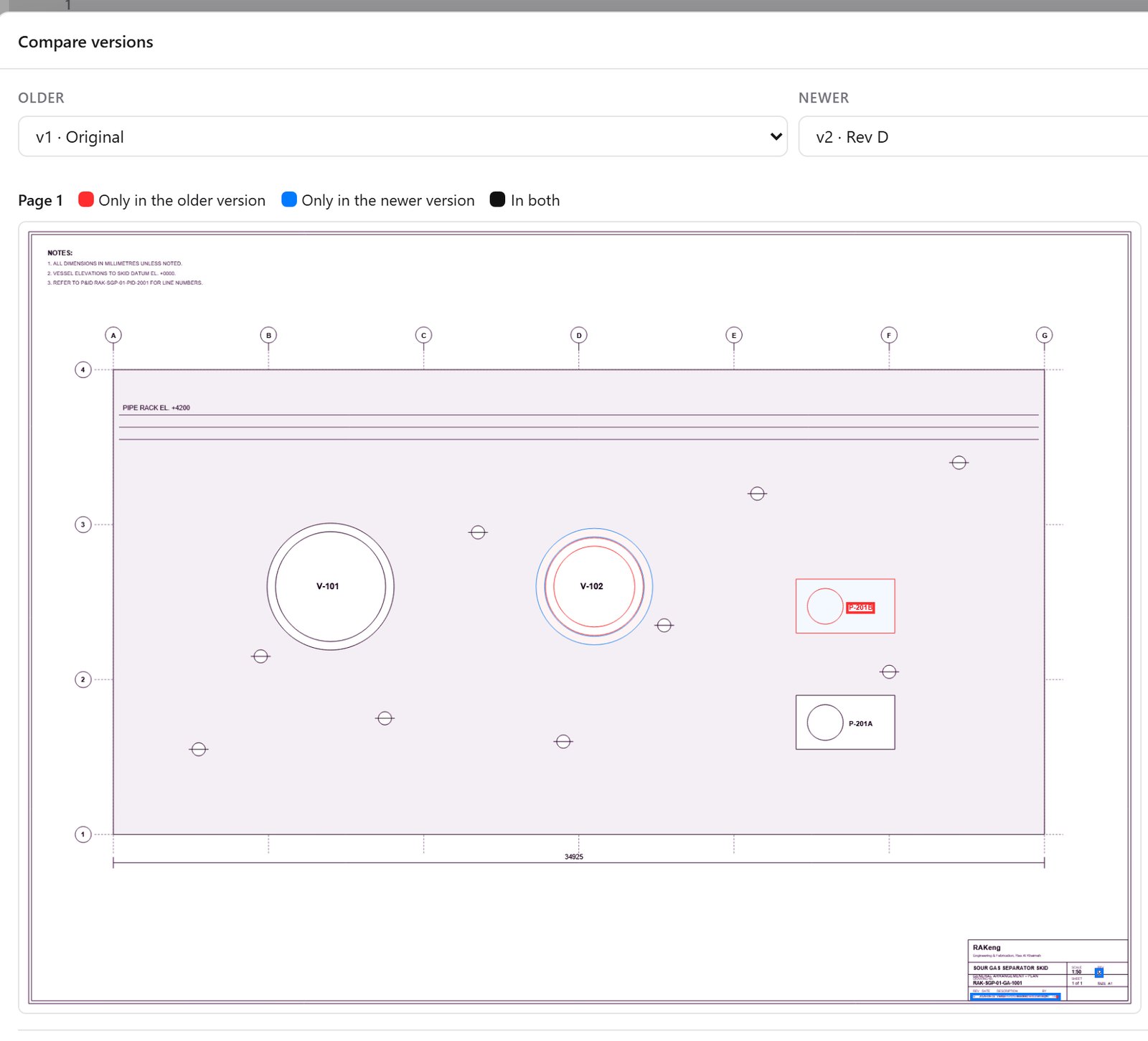
Two versions of a drawing laid over each other: what is only in the older one, what is only in the newer one, and what is in both.
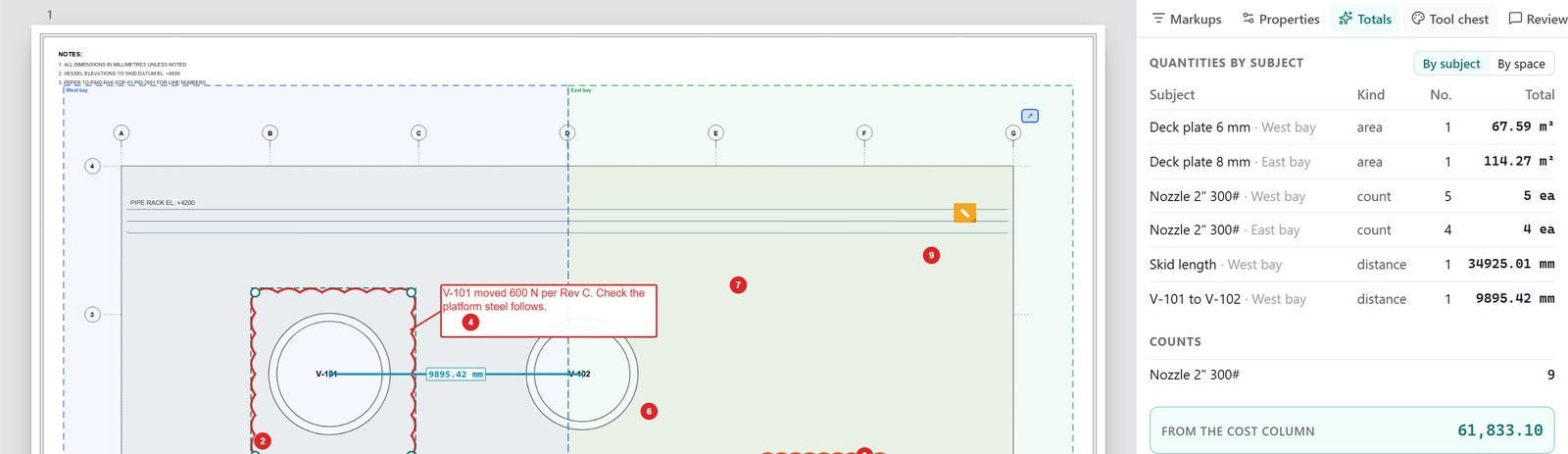
The takeoff, priced as you measure
Quantities are grouped by subject and counts are totalled, with a cost column from your rates.
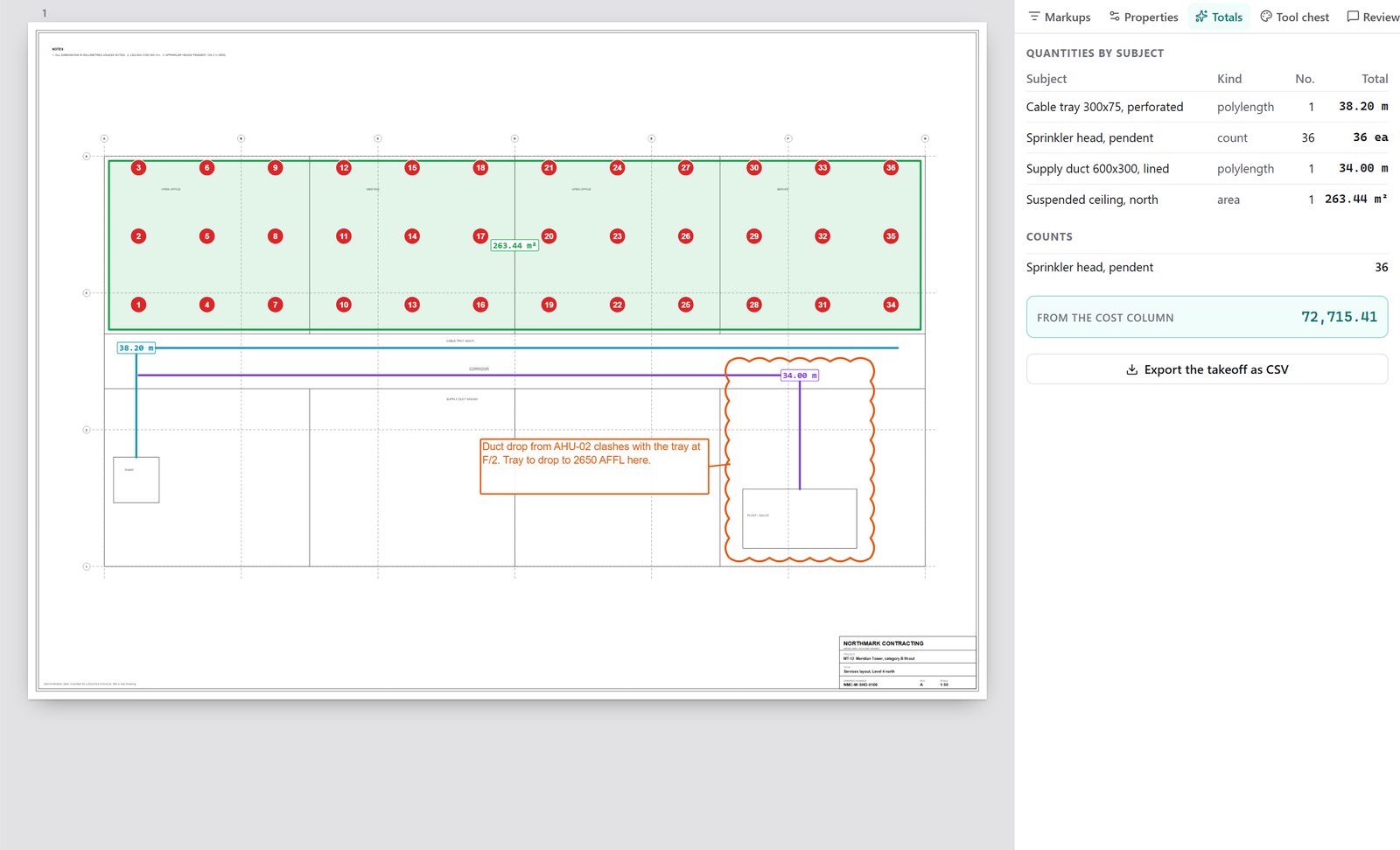
The same on a contractor's services layout
Why the revision link matters
The failure it prevents
A comment written on revision C and carried forward onto revision E may point at a feature that is no longer there. The markup still looks reasonable, and a review decision is applied to the wrong geometry. MarkCore is licensed through DocCore so that the markup and the controlled revision are in the same system.
Licensing
A product in its own right
MarkCore is licensed through DocCore and runs alongside it: one installation, one licence to administer.
Next
The manual
The MarkCore manual covers day-to-day use and administration. Access is granted on request.
RAK Engineering · rakengine.com/suite/markcore/ · support@rakengine.com