Engineering document control
Everybody works from the same drawing, and it is the right one
DocCore is one register that holds every drawing, specification, record and certificate at the revision that is current, with a record of who approved it and who holds a copy.
How it works
Release fixes the document
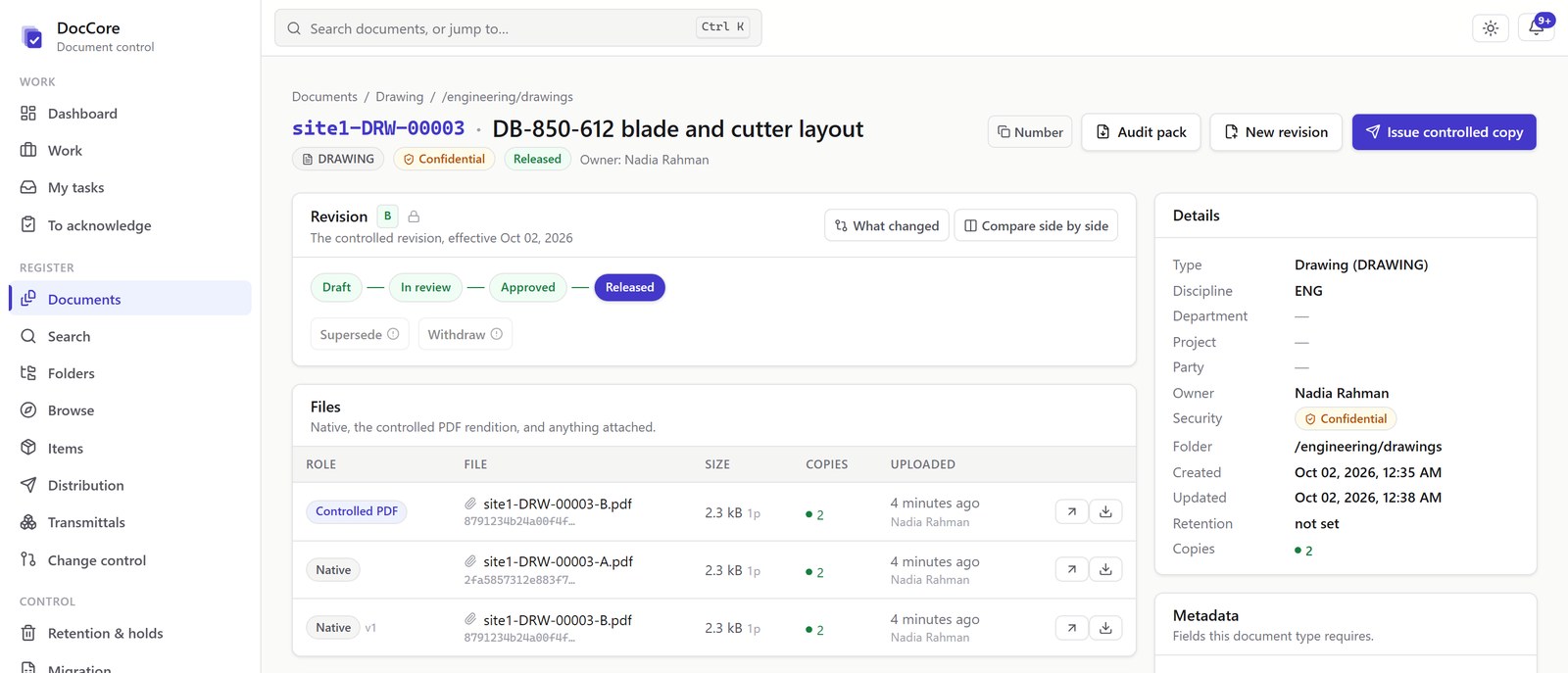
Before release a document can still change. After it, it is fixed and is what everyone works from. A change brings the cycle round again and recalls the copies already issued.
- Draft Numbered, with its files attached.
- In review Along the approval route you set.
- Approved The approver enters their password again to sign.
- Released Fixed. A released revision is never edited again.
- Issued Controlled copies and transmittals to the people who need them.
- Superseded The next revision recalls the copies already out.
The register
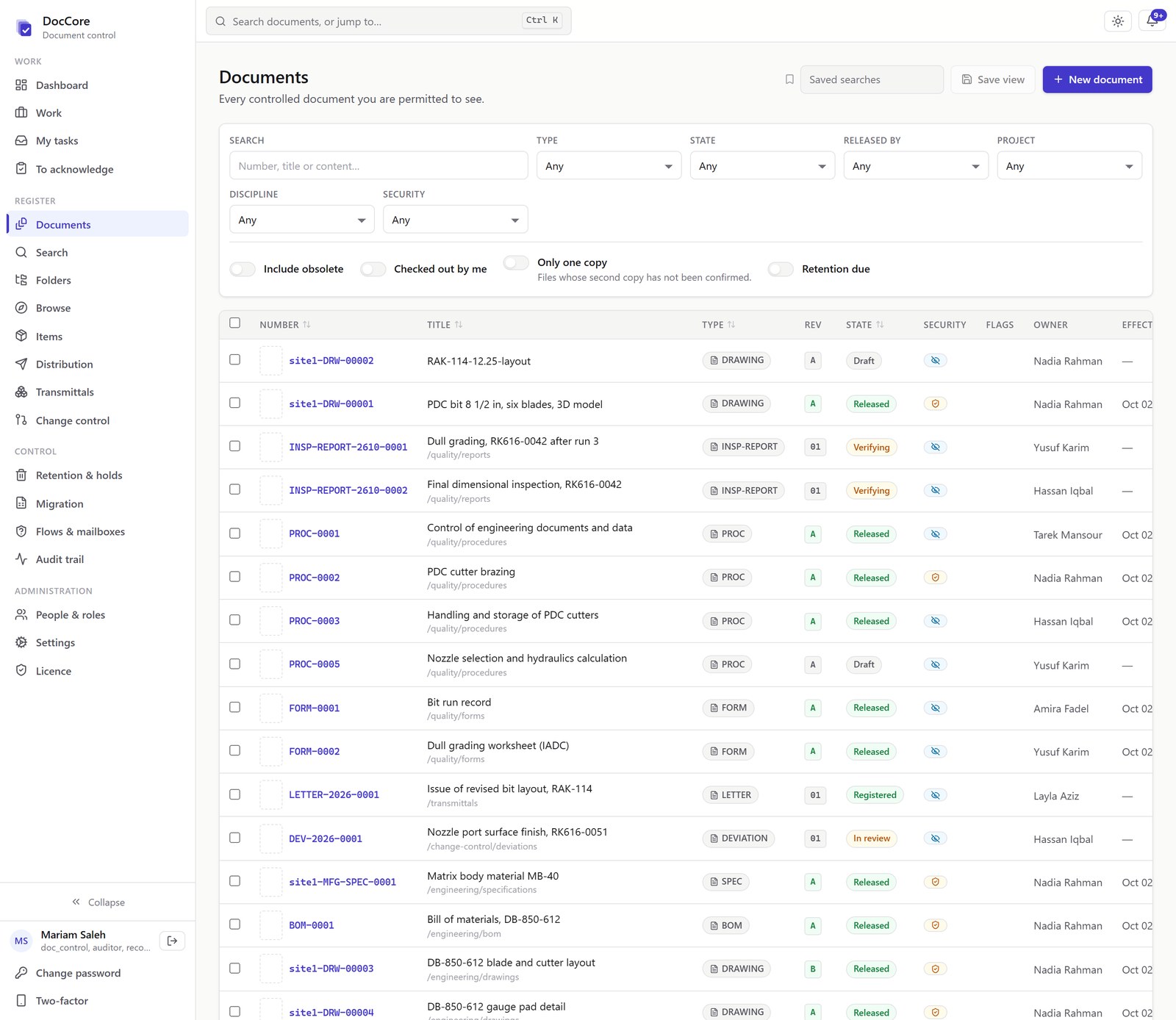
One register for procedures, drawings, specifications and certificates
Numbered, revised, released, and issued to the people who need them. Every controlled document appears with its current revision and status.
Work, included
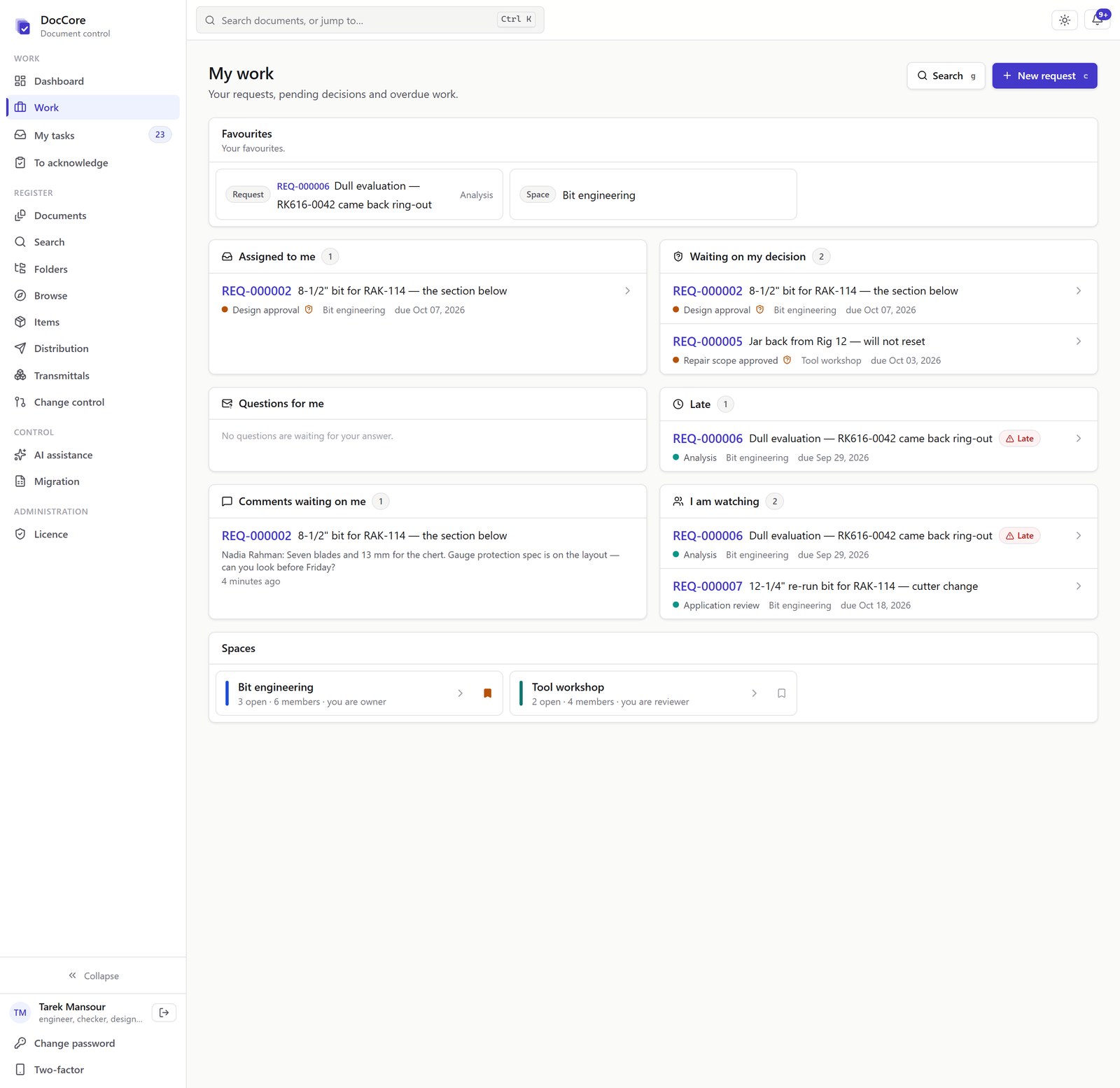
Requests and approvals, in the same place as the documents
What is assigned to you, what is waiting on you, and what is late. A request can start as an email to a shared mailbox: the email becomes a numbered request and its attachment is filed as a controlled document. A mail from an unknown sender still becomes a request, flagged for triage.
When the approver signs, the drawing is released and the request is closed.
In your industry
DocCore, on the documents of three industries
Oil and gasDrill bit and downhole tool manufacturers
A released revision is never edited again
A change creates revision B. Revision A is never edited again; the database enforces that. The approval route is yours to set, and the approver enters their password again to sign.
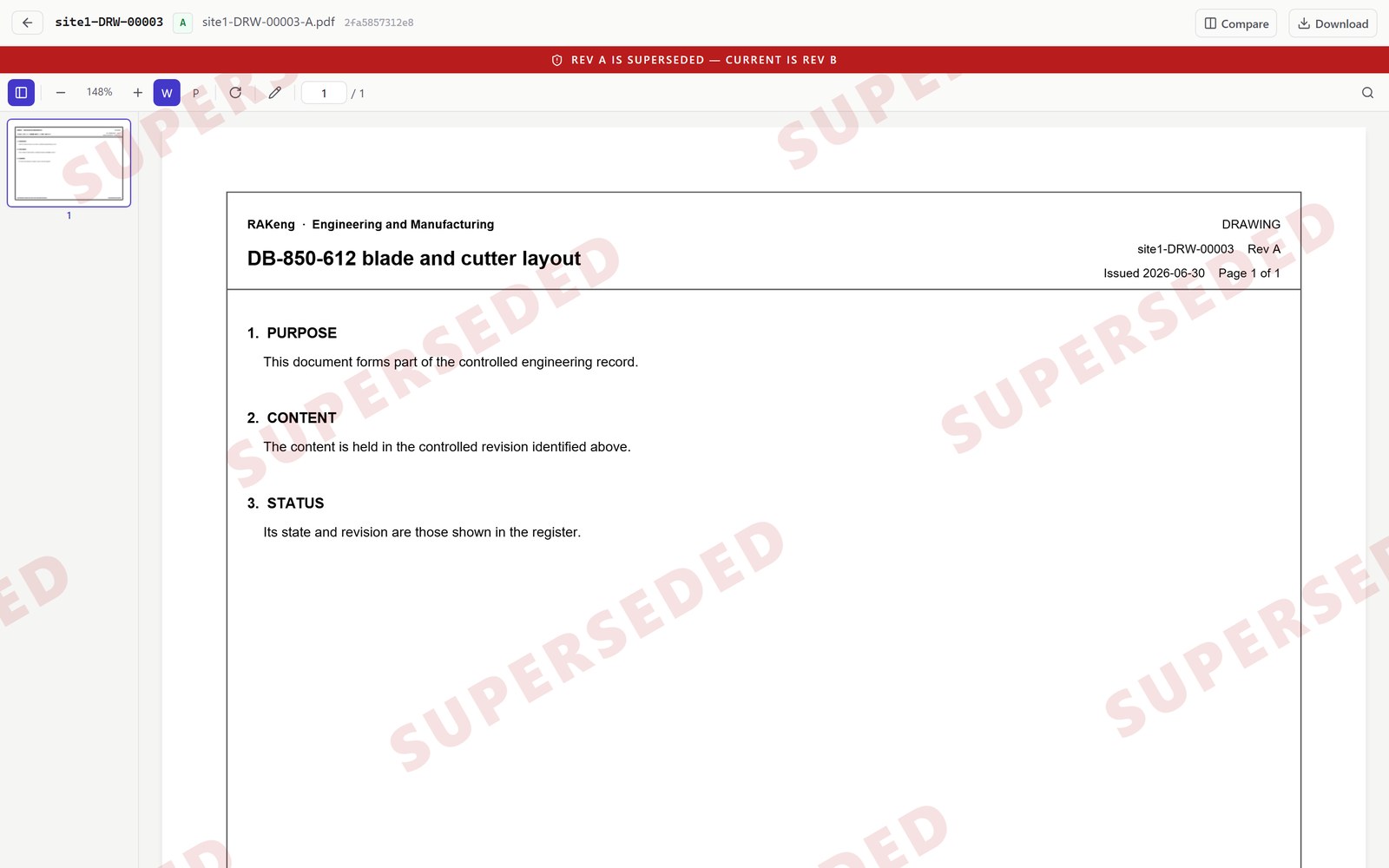
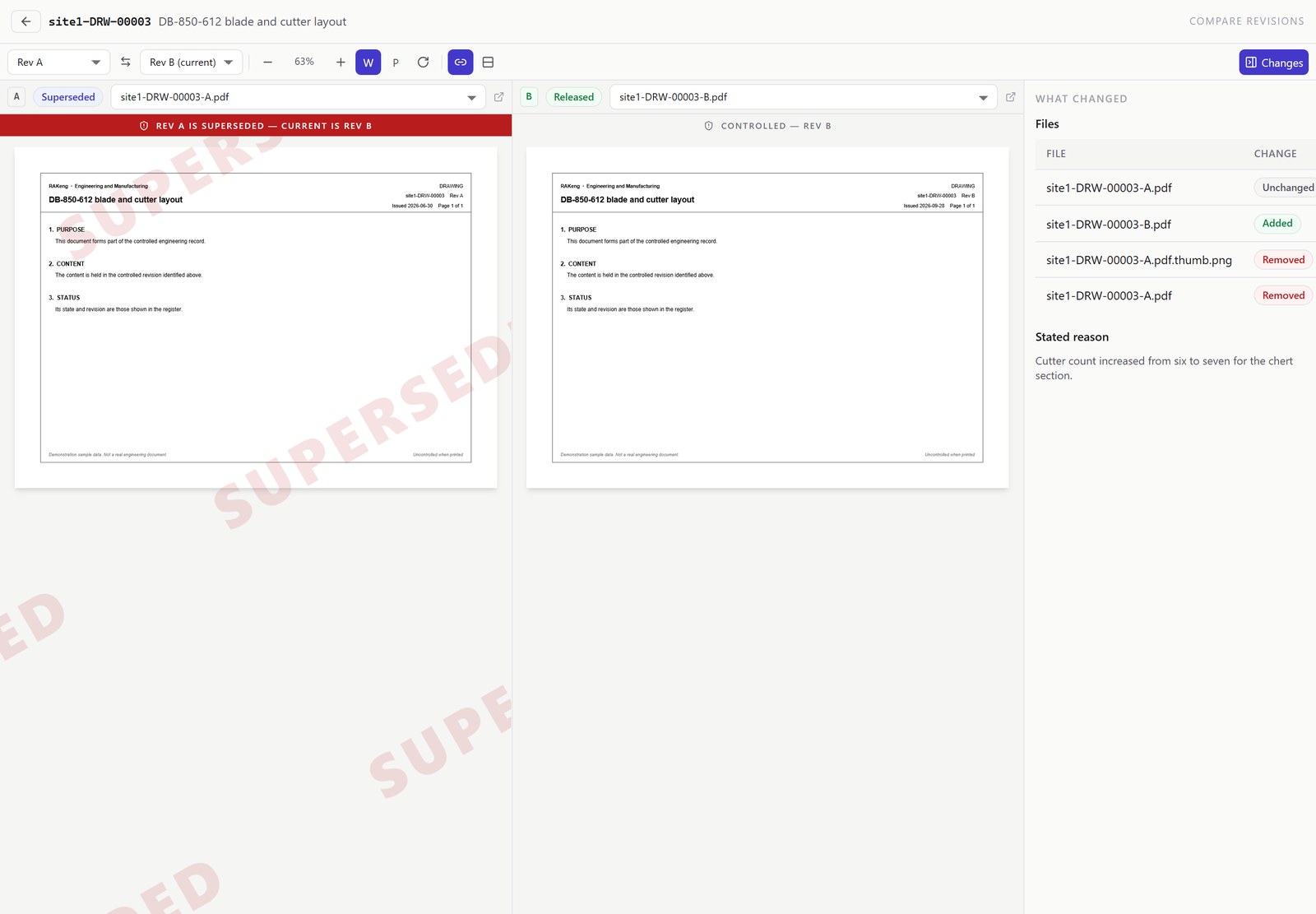
If it is not the current revision, the page says so
Open a superseded, draft or uncontrolled document and DocCore marks it across the page. The banner names the current revision.
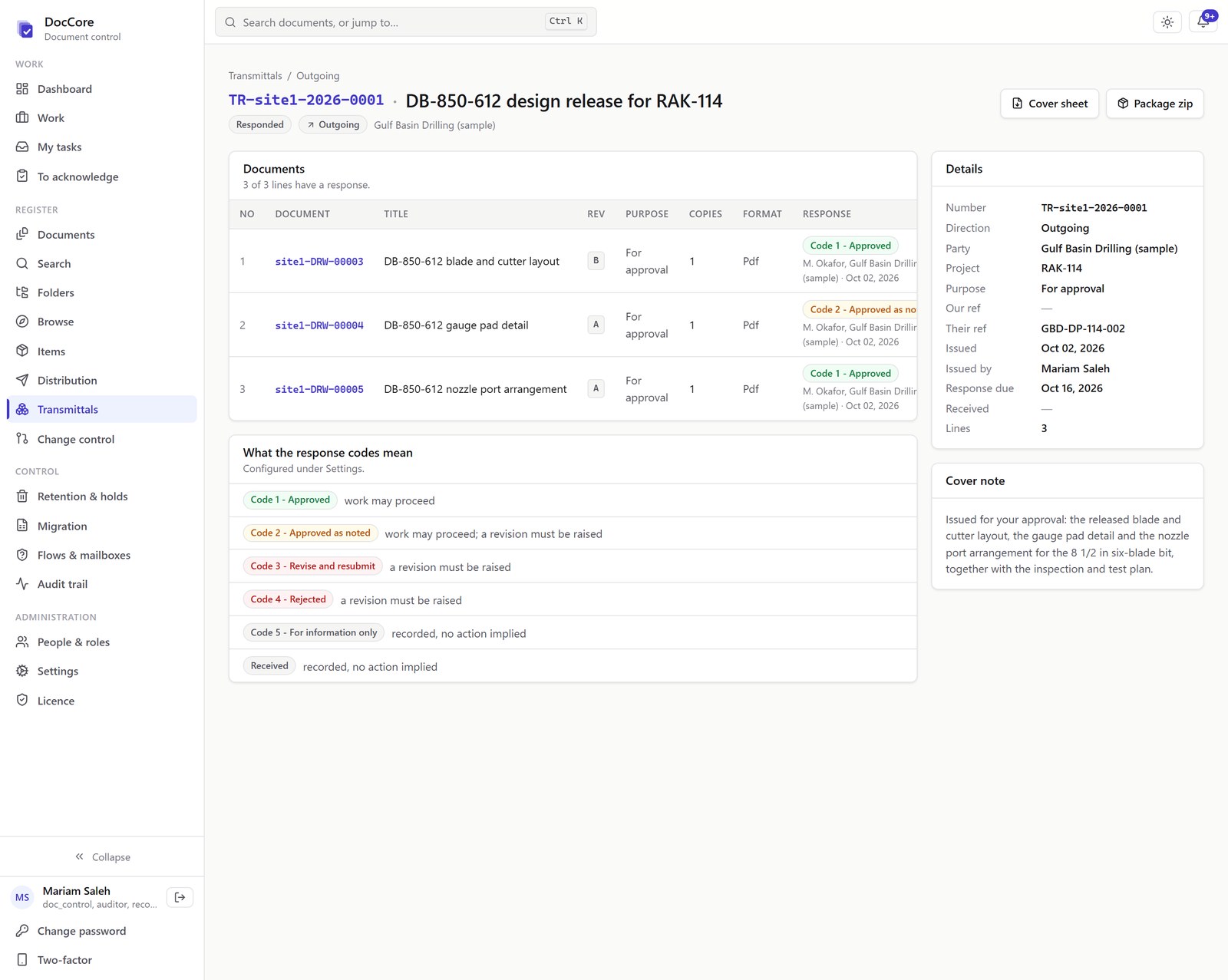
Transmittals, and the responses to them
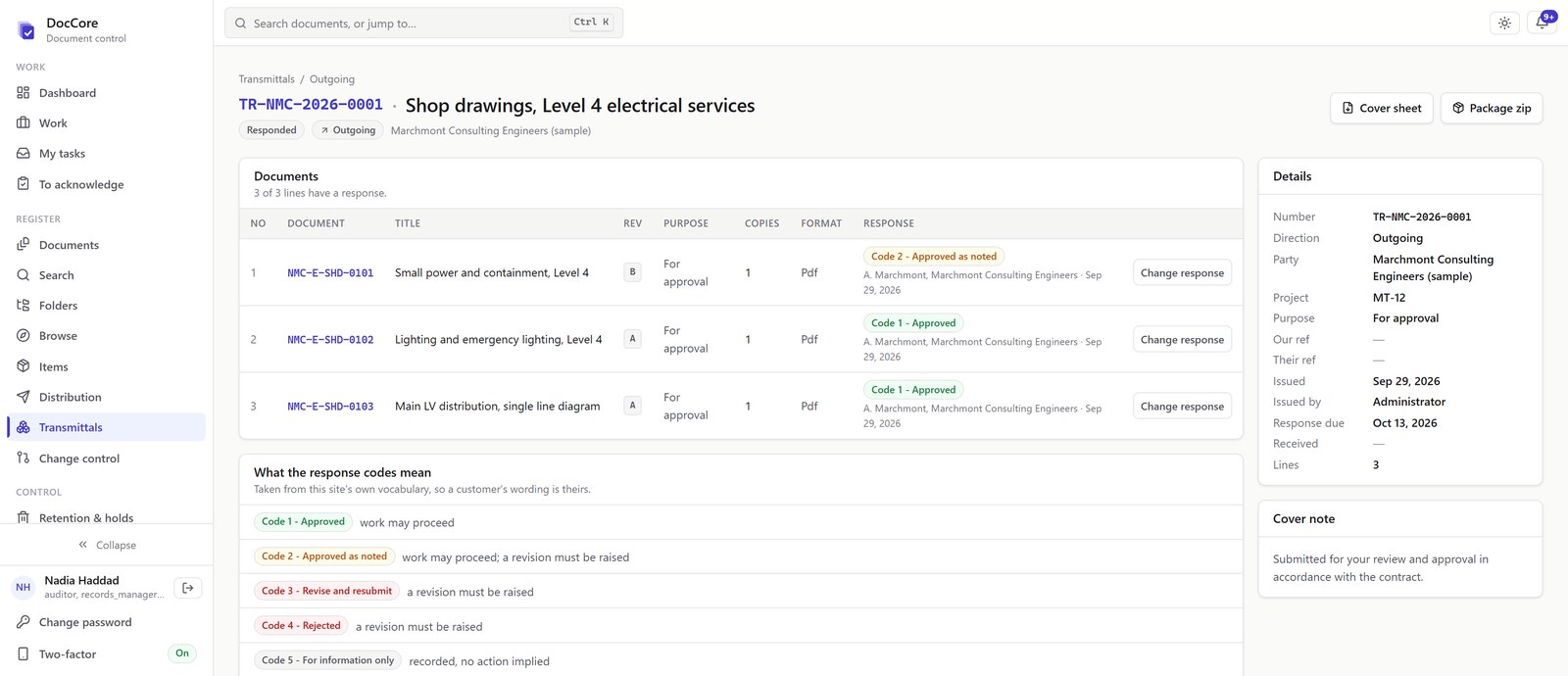
A transmittal cover sheet, the exact revisions issued, and the recipient's response recorded against every line. Response codes are set up to match your contracts. Superseding a revision recalls every controlled copy still out.
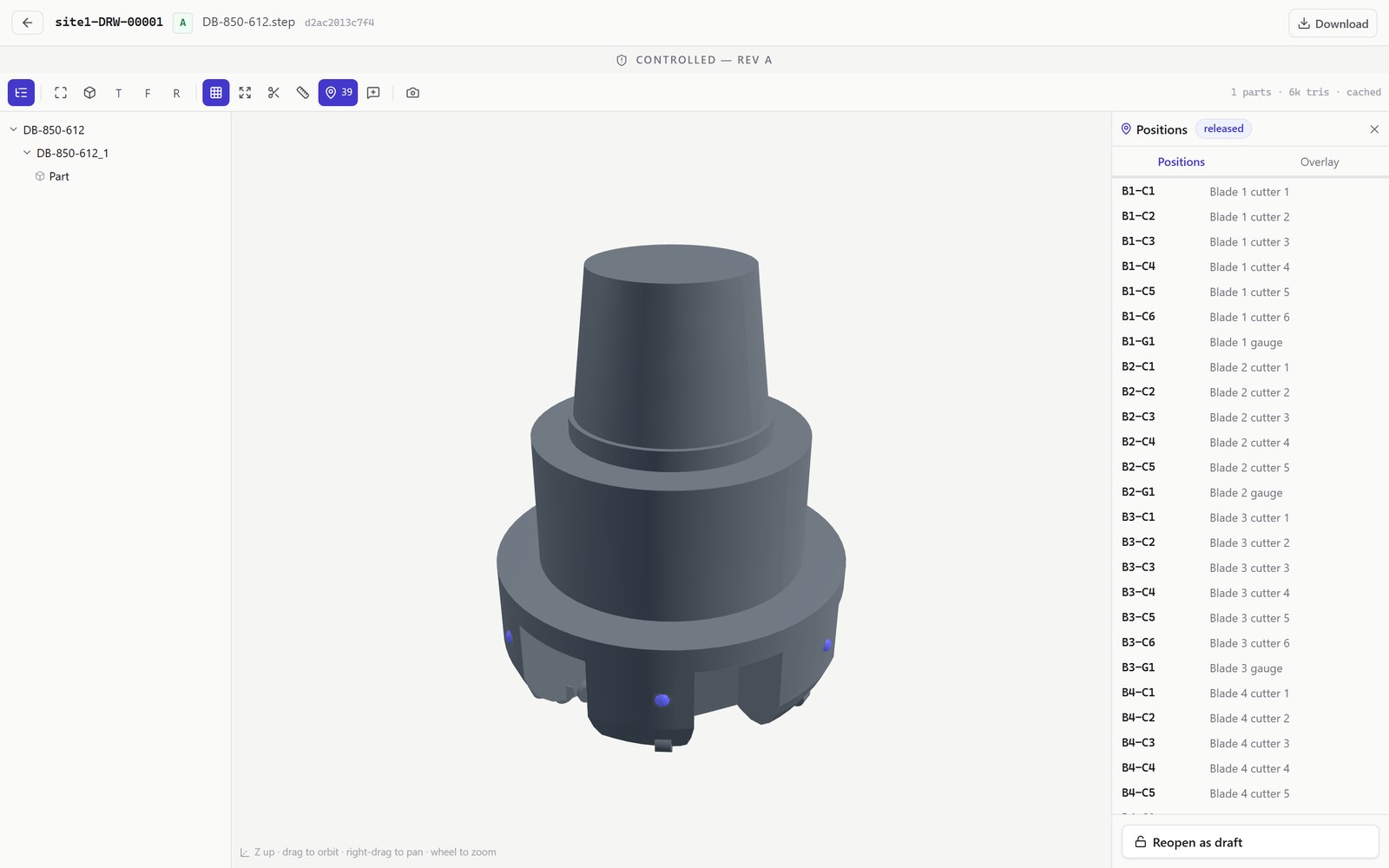
Drawings and 3D models in the browser, without a CAD licence
PDF, DXF, and STEP or glTF 3D models open in the browser. A model can carry named positions, released with the revision, which inspection results and field measurements are recorded against.
Two revisions, side by side
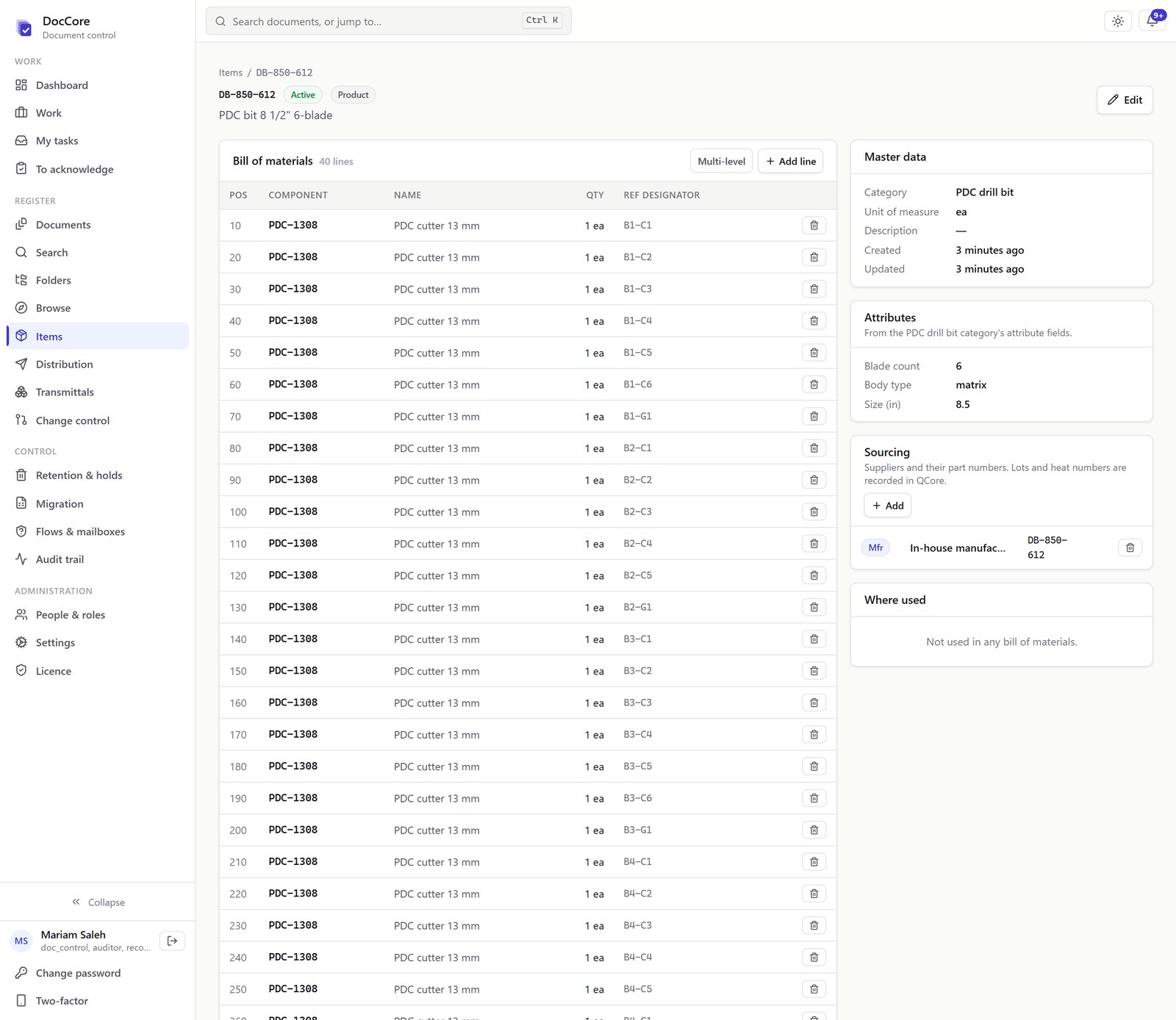
The parts, and the documents that define them
Each part has a part number and attributes, a multi-level bill of materials with reference designators, and a where-used list. The documents linked to a part stay under their own control, at their own revision.
ContractorsElectrical and mechanical contractors
One document register for the job: shop drawings, material submittals, method statements, test records and as-builts. It tells you which revision is current, who holds a copy, and what the consultant said about it.
One register for every discipline
Electrical, mechanical, firefighting and plumbing are all in the register, numbered your way. Filter it by project, discipline, document type or status.
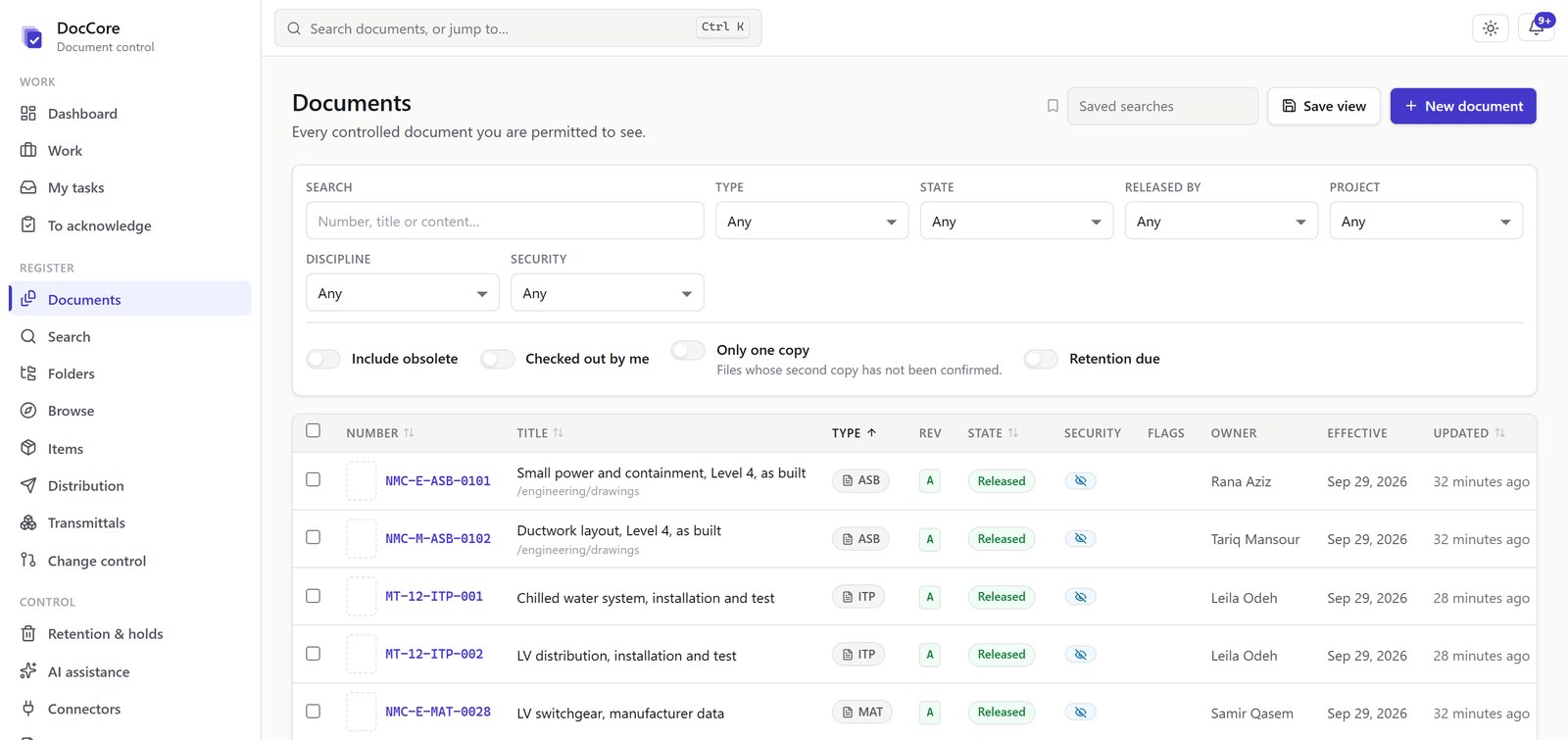
What the consultant said, drawing by drawing
Every transmittal records what was sent, when, to whom, and when the reply is due. The consultant's response is recorded against each drawing, not the transmittal as a whole.
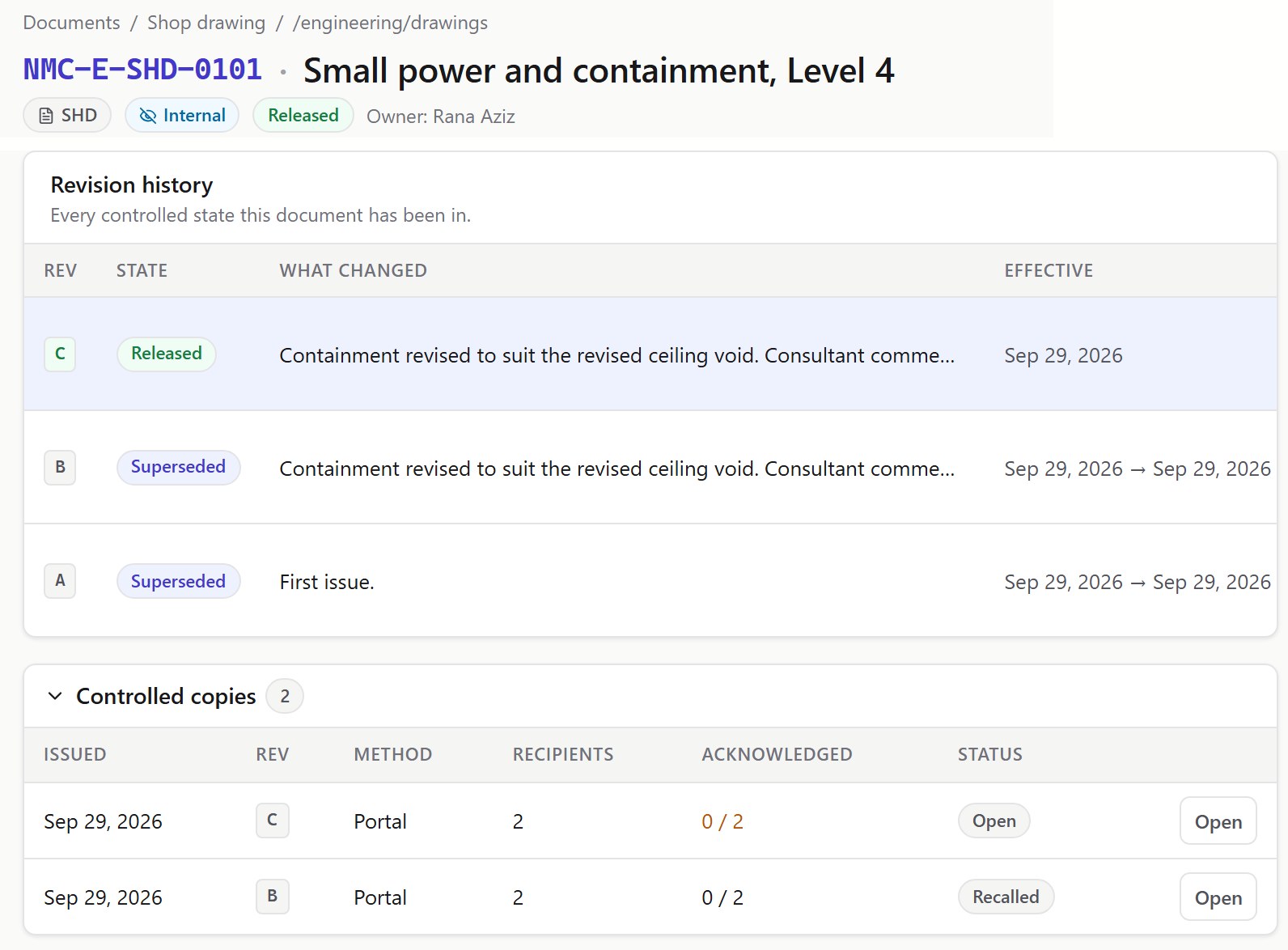
When a drawing is revised, its old copies are recalled
A new revision does not overwrite the old one. The old revision stays on file, marked superseded, and every controlled copy of it is recalled when the new one is released.
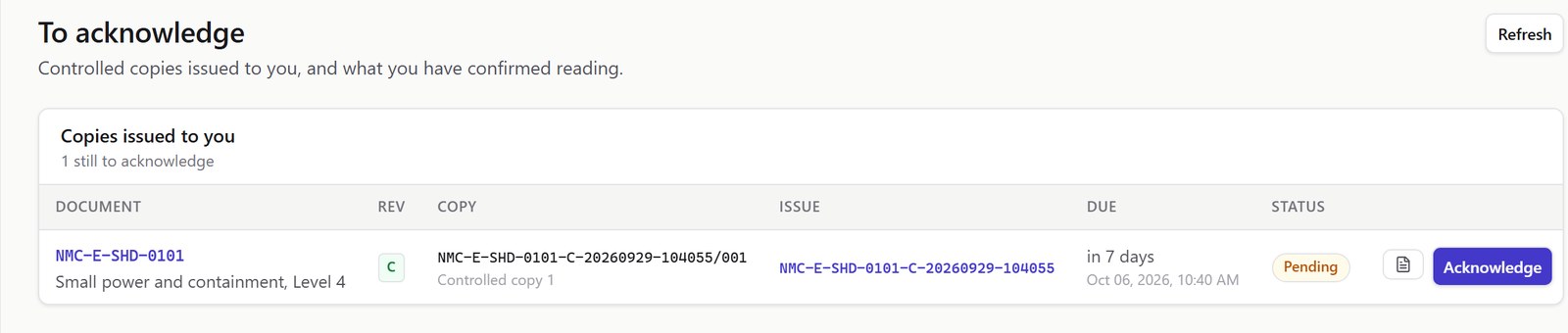
Controlled copies on site, each one confirmed
Each person on site receives a numbered copy and is asked to confirm they have it. You can see at any time who has confirmed and who has not.
Measure the drawing, count the fittings, price the job
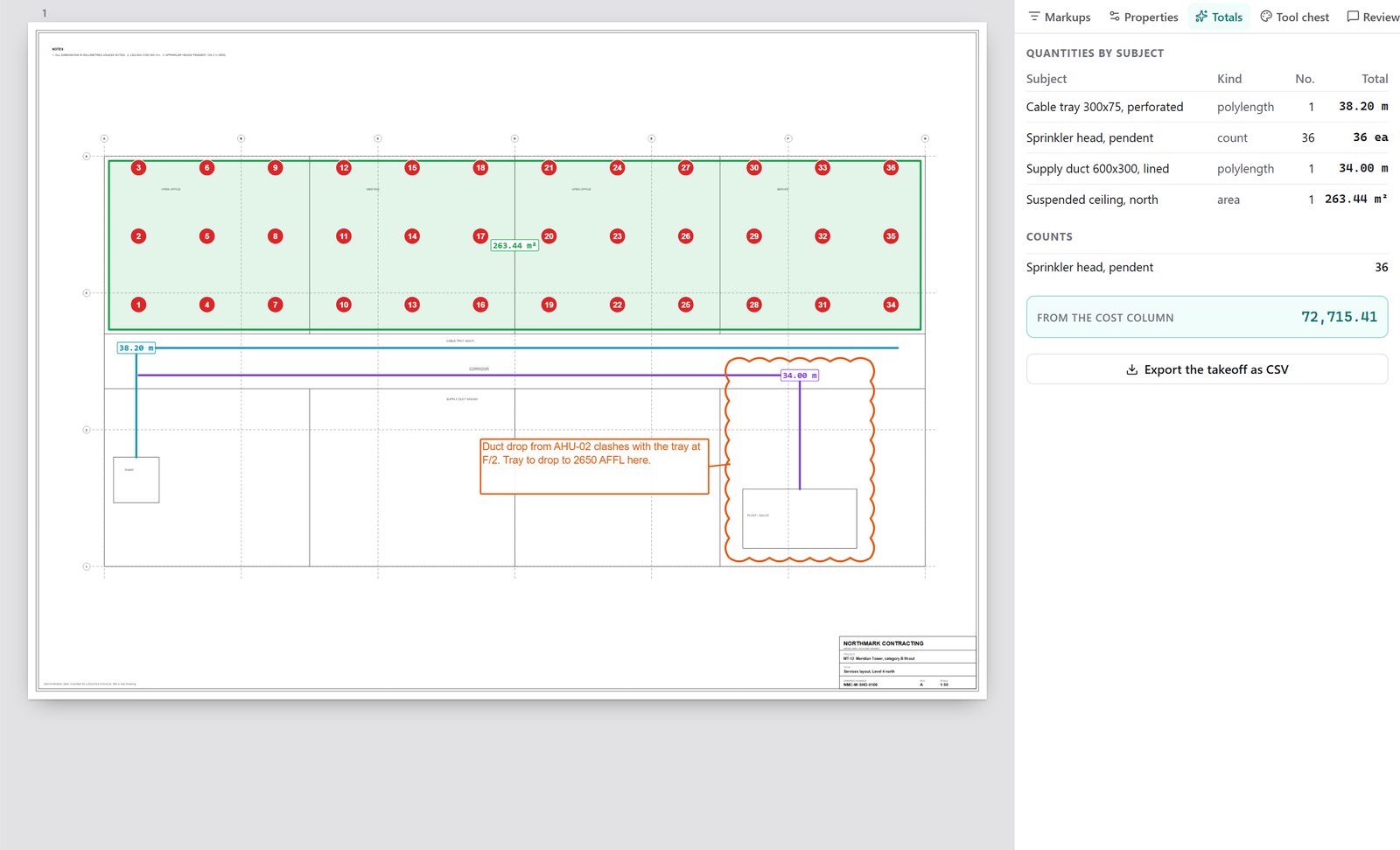
MarkCore opens a shop drawing straight from the DocCore register. Set the scale once, then measure runs, areas and counts off the sheet. Each quantity carries your rate, so the takeoff is priced as you go, and it exports to a spreadsheet. MarkCore is an optional product, licensed through DocCore.
Solar and automationSolar plants and control systems
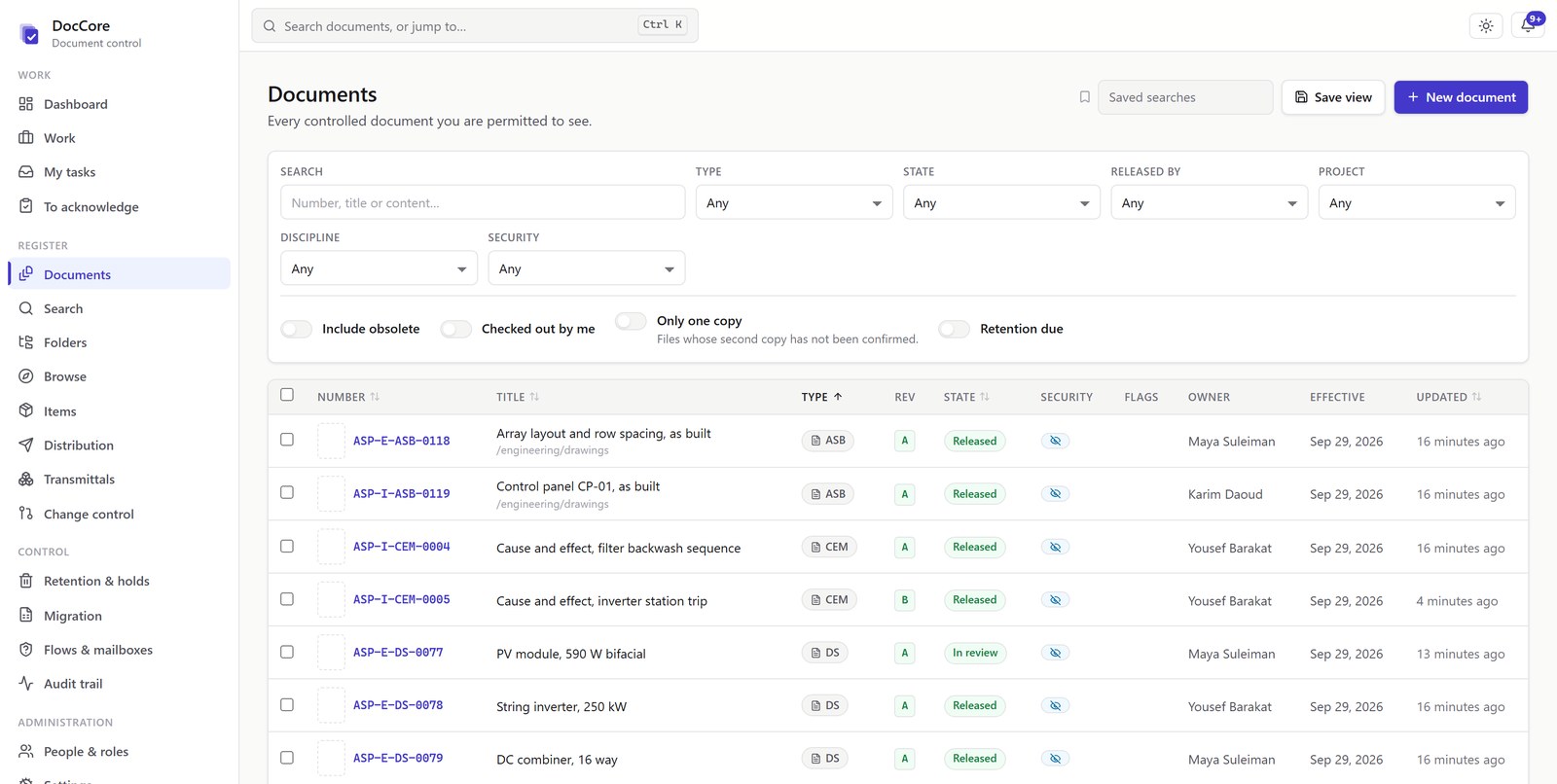
One document register for the plant: single line diagrams, string layouts, panel drawings, I/O lists, loop diagrams and test records. Each is numbered, revised and approved, and linked to the equipment it describes.
Design, procurement and commissioning documents in one register
Electrical and instrumentation, the plant and the control system are all in the register, numbered your way. Each document type has its own numbering and its own approval route.
Each piece of equipment is a record, with its documents attached
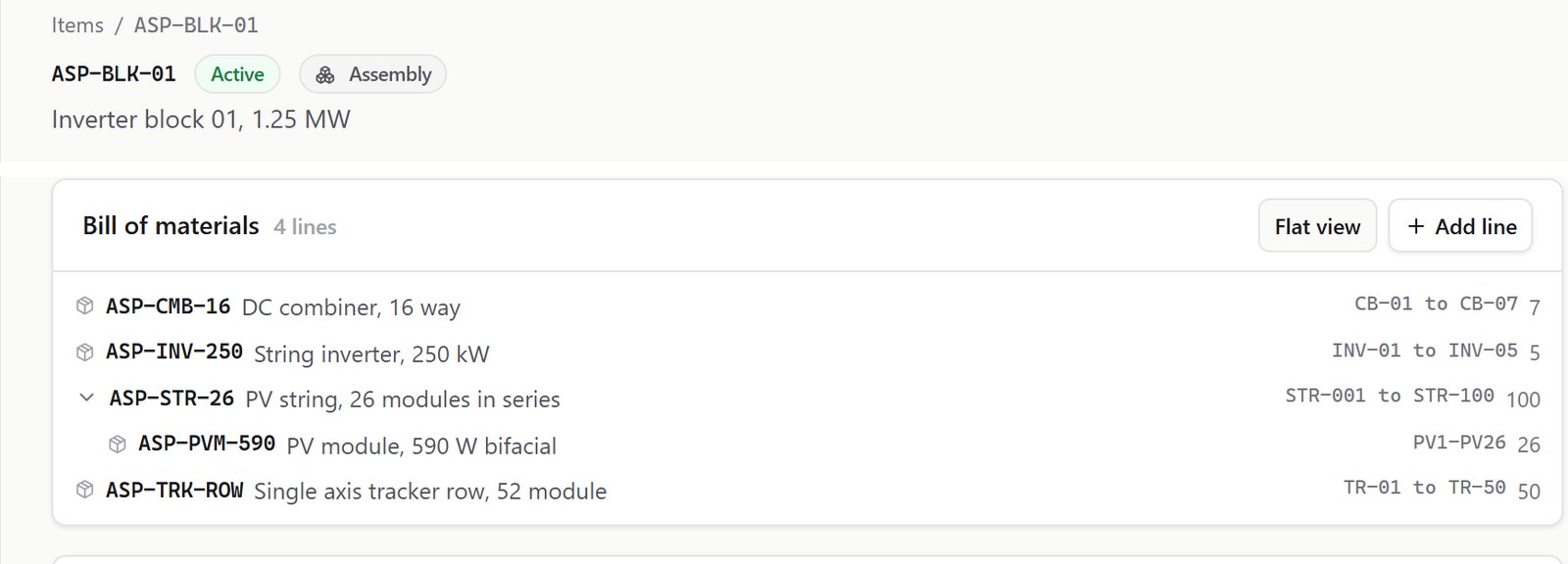
Modules, inverters, combiners, trackers and instruments each have a part number in DocCore. The datasheet, submittal, drawings and test certificates for that part are filed against it, and DocCore shows what each part is made of and what it is used in.
A change notice stays open until every document is reissued
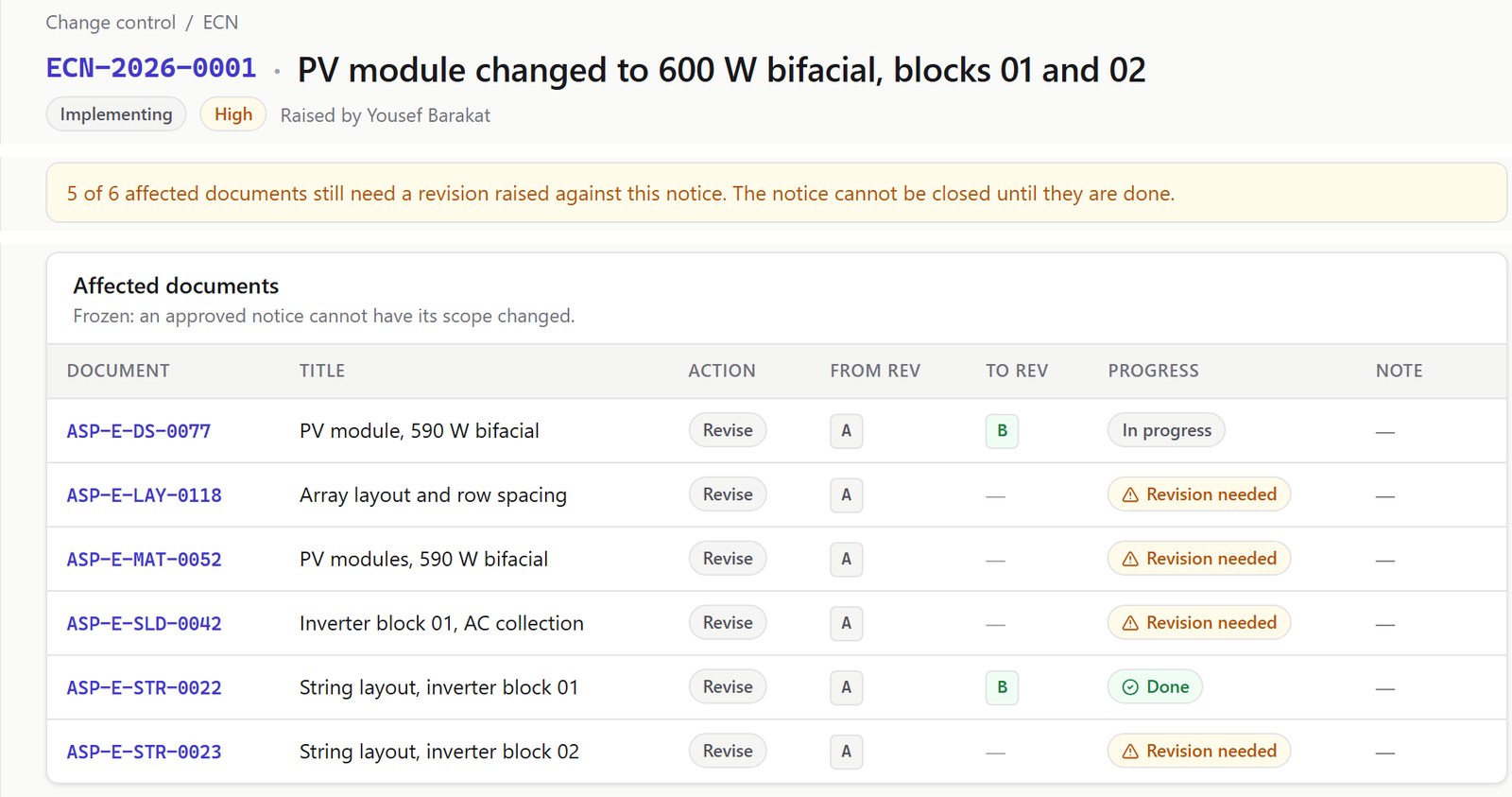
When a part is no longer available and the replacement is a different part, the change notice lists the drawings and submittals that named the old one. As each is revised and released, its line is closed. Once the notice is approved, the list cannot be changed.
The matrix that was approved is the matrix that was tested
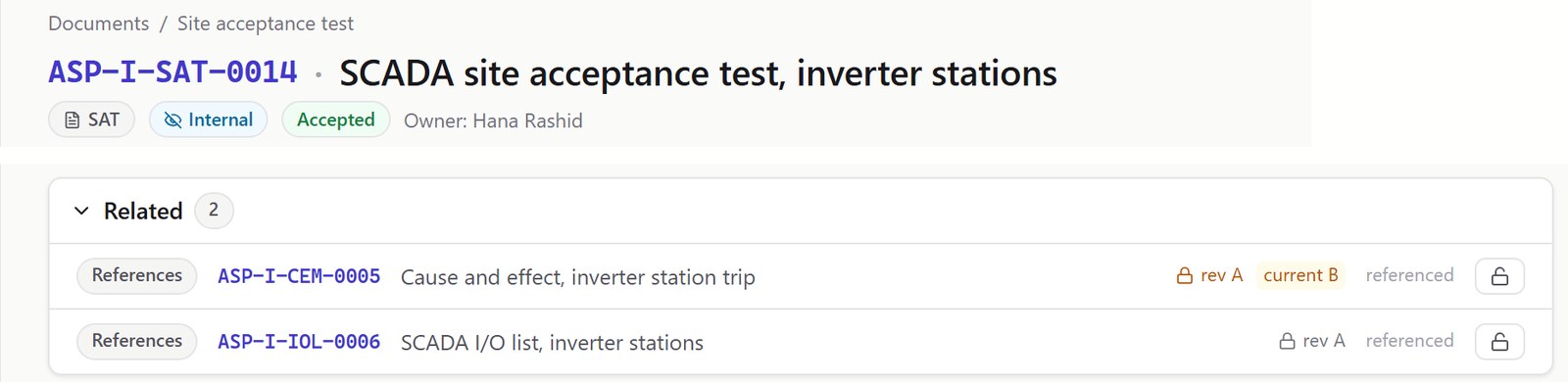
The loop drawing, the I/O list and the panel drawing are separate documents, each at a known revision. A test record can reference the cause and effect matrix it tested, fixed to the revision tested. If the matrix is revised later, the test record still points to the revision it proved, and DocCore flags that the matrix has moved on.
Moving in
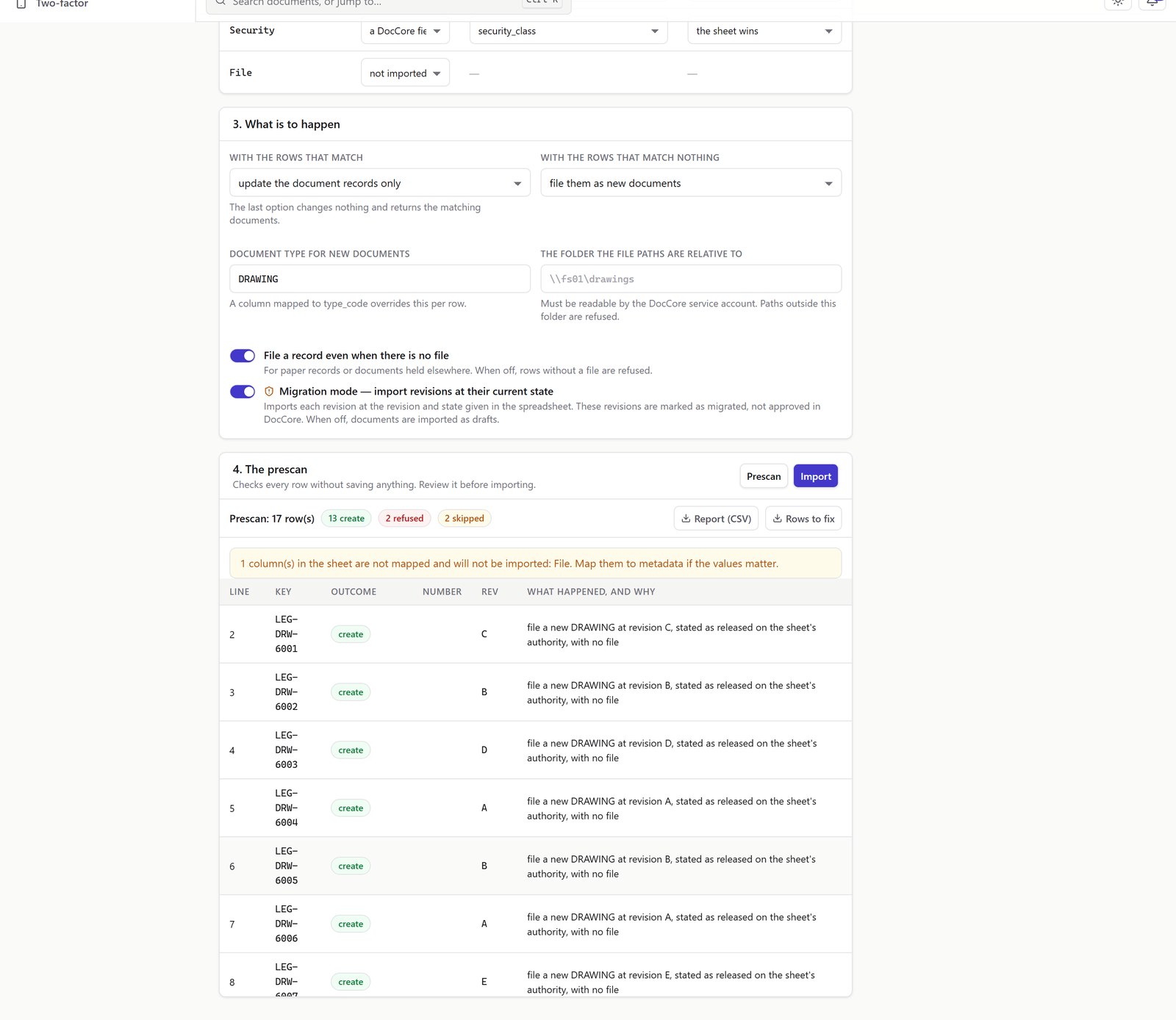
Your existing documents come in at the revision they are already at
Save your existing register as a CSV file and tell DocCore which column holds the document number and what the other columns are. Before anything is written, it shows what it would do with every row.
Documents brought in from your old system are marked as migrated, not as approved in DocCore. That mark is permanent.
Finding it
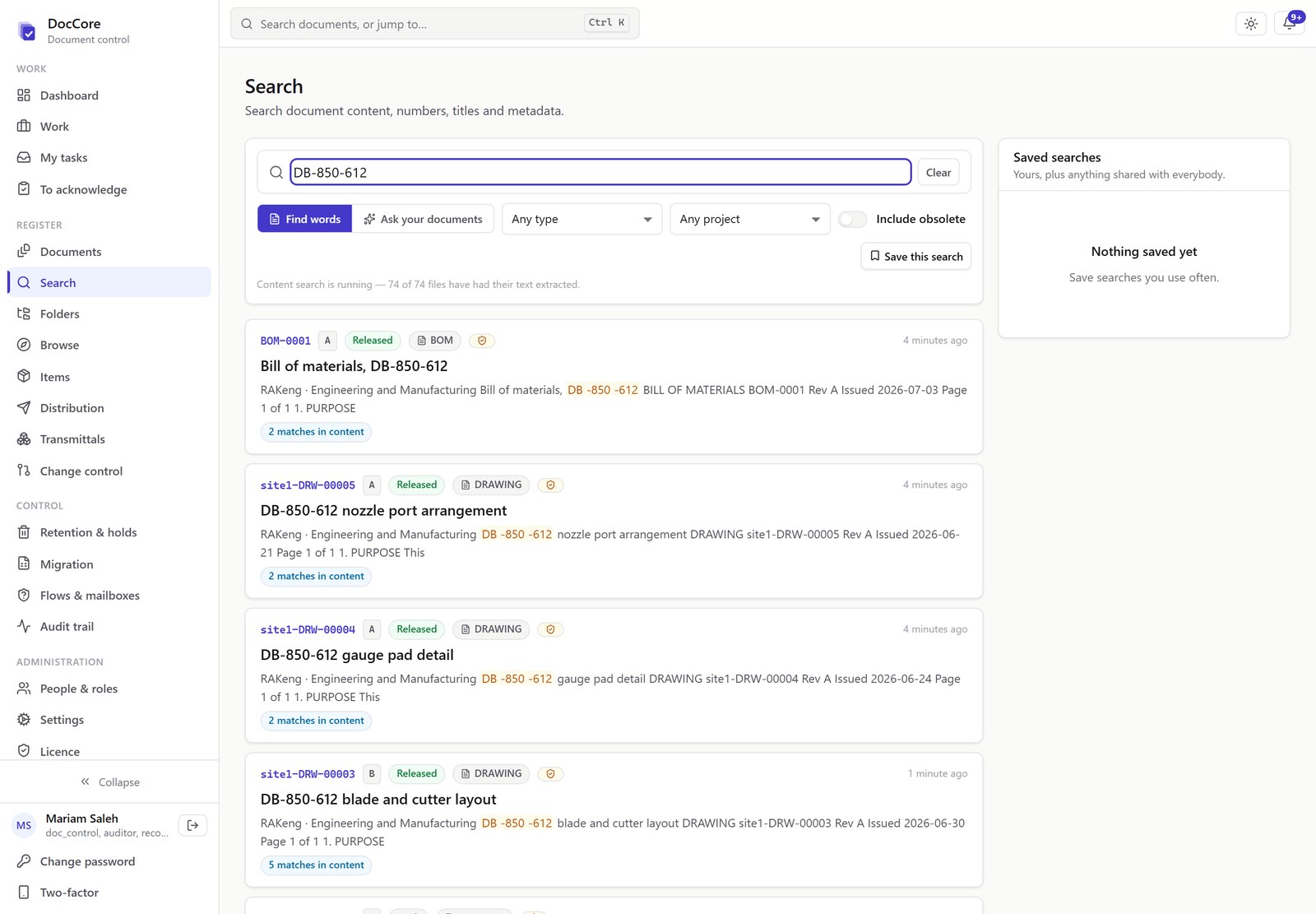
Search reads the text inside the documents
Type a part number, a standard or a room number. DocCore searches the text inside the documents, not only their titles, and counts the matches in each one.
Who sees what
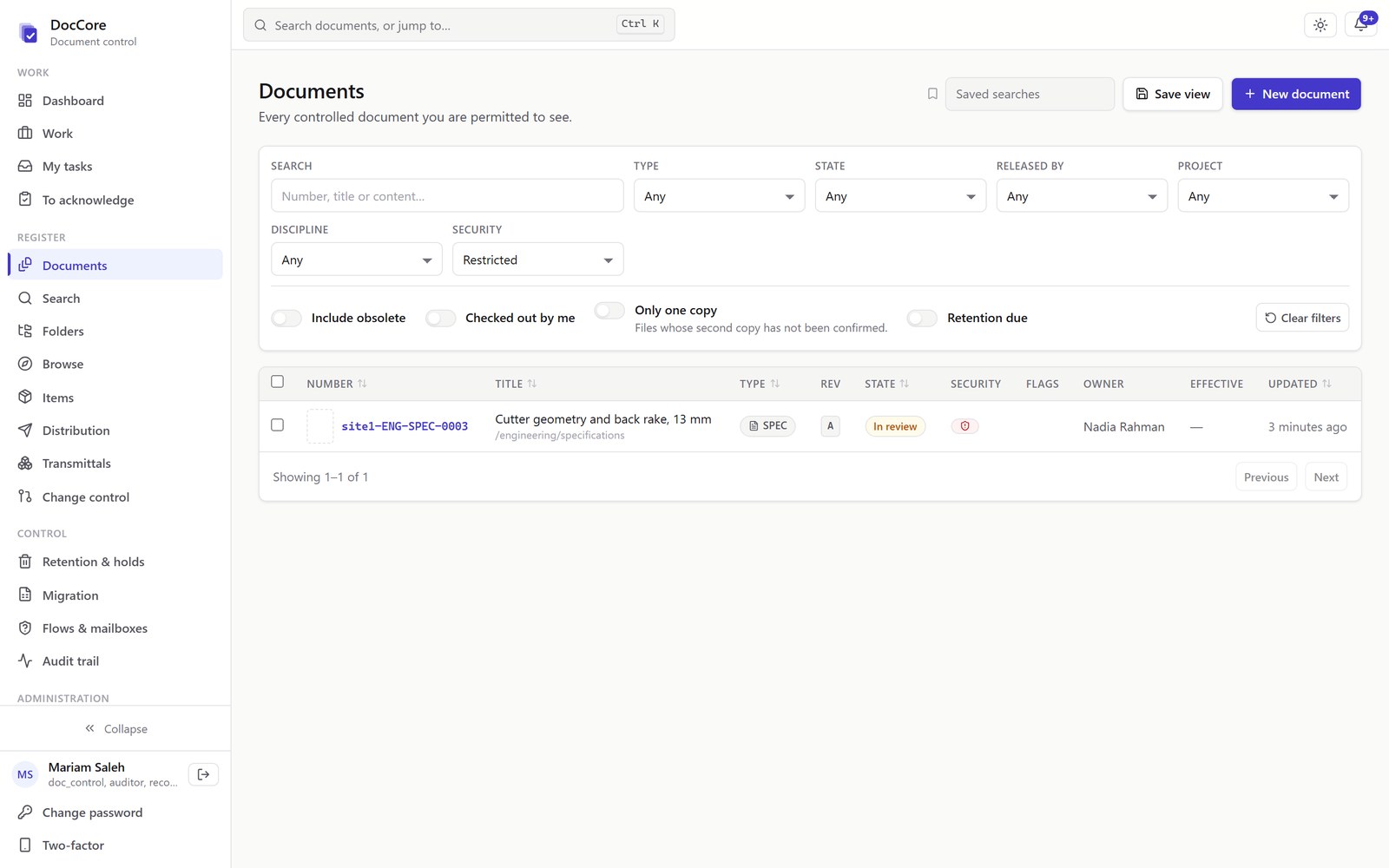
Restricted documents are shown only to the people cleared to see them
Access is checked in the database, under every screen. A restricted document does not appear in lists or search results for anyone without clearance, whichever folder it is in.
History
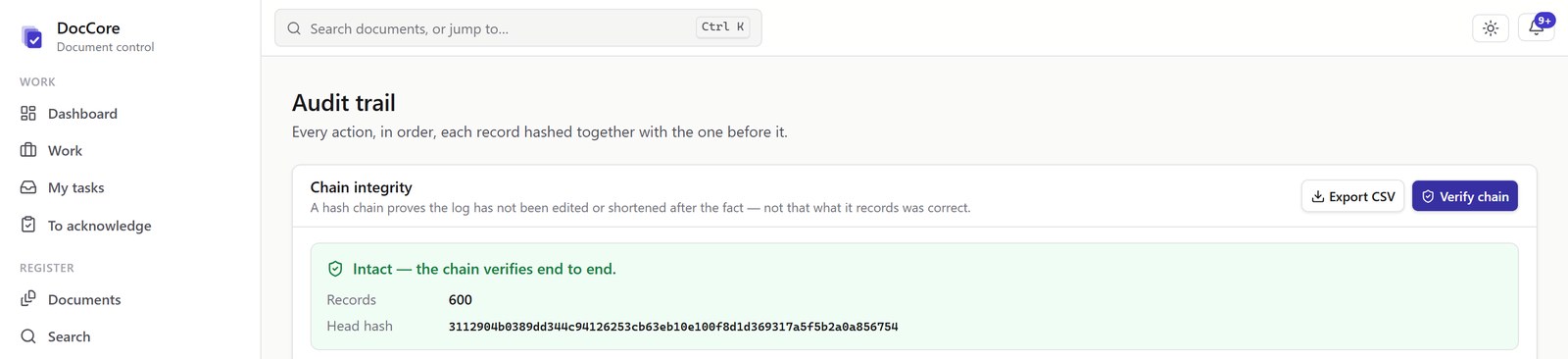
A tamper-evident audit trail
Every action is written to an audit trail, in order, and each entry is locked to the one before it. The check confirms that no entry has been altered or removed. It is a check on the record, not on the decisions recorded in it.
What it takes to run it
One program, on your server or in the cloud
- No desktop software to install. One program with the interface built in, and a PostgreSQL database. Staff open it in a browser.
- Windows or Linux. The same build ships for both. Your own server, or a cloud machine you control.
- Tested backups. Database and files in one backup, restored into a test database to prove it works. An overdue restore test raises an alarm.
- Licensed by named user. Connections from other suite products do not use a seat.
- Document types, configured. Procedures, drawings, specifications, weld procedures, inspection and test plans, certificates and more, each with its own numbering, lifecycle, retention and required fields.
Connections
Works with what you already run
- Your CAD. Design where you design. DocCore controls, publishes and views what comes out of it.
- Your ERP. DocCore reads your SAP material master, bills of material and classification through a shipped connector template, with SQL variants and connectors for SAP document management.
Optional
AI, on your own documents
DocCore has an optional AI module, licensed separately. It answers each person only from the documents that person is allowed to open.
Companions
Three companions on the same licence
IDCore, one sign-in for the suite, is included. PortalCore, a portal for your own customers, and MarkCore, drawing markup and measurement, are optional.
Note
Scope
DocCore controls your documents and parts. Drawings, specifications and procedures are created in your CAD and authoring tools and controlled here. The screens on this page show dummy sample data.
Next
The manual
The DocCore manual covers installation, day-to-day use and administration. Access is granted on request.
RAK Engineering · rakengine.com/suite/doccore/ · support@rakengine.com